Ask Claude about verified auction and private-sale prices across luxury watches, jewelry, handbags, fine art, classic cars, wine, and more. This guide walks you through how it works, how to connect, and what to ask.
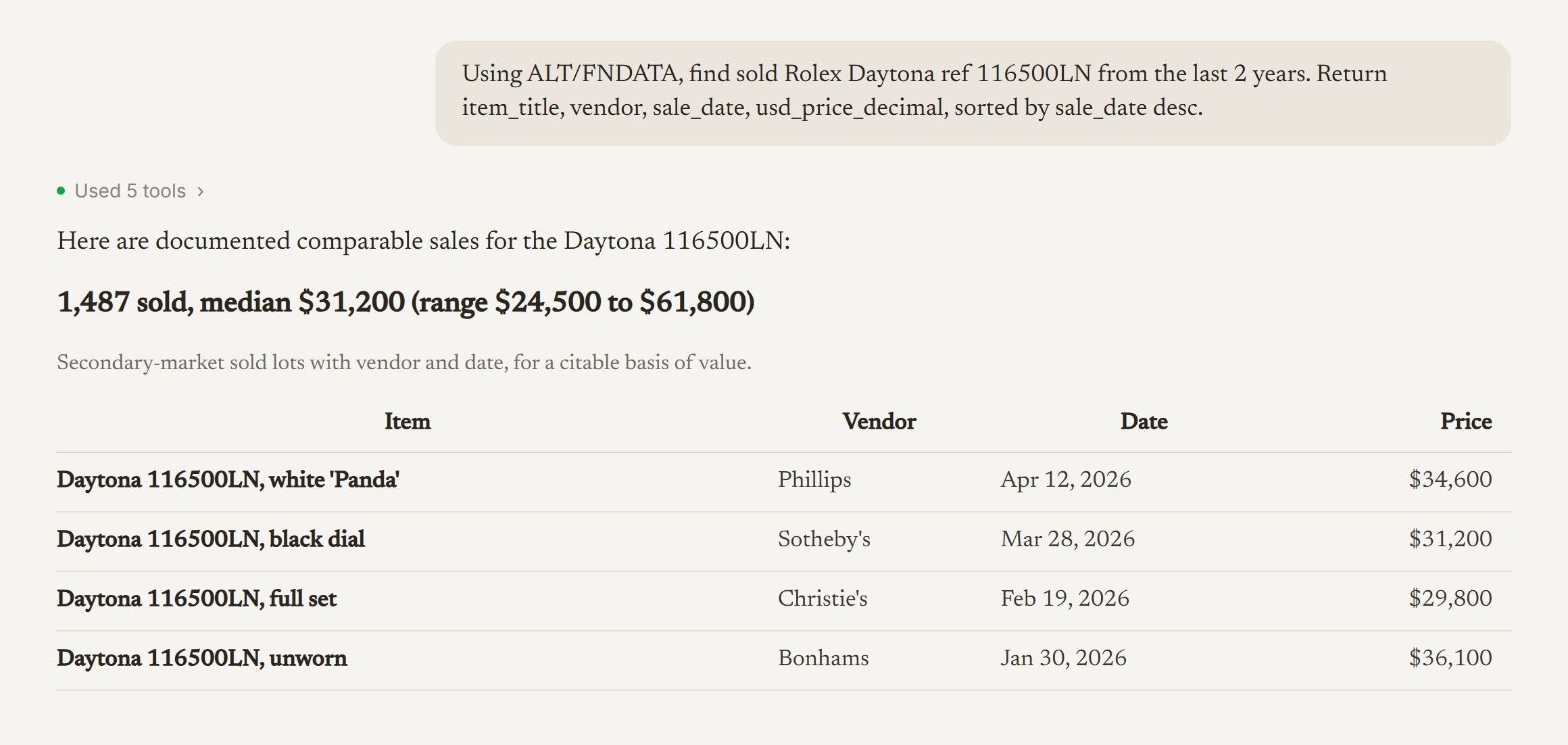
Illustrative shape. Claude reads the schema, runs one read-only query, and answers from real sold-lot rows.
Server URL for Claude: https://mcp.altfndata.com/mcp
Pull documented, cleared comparables for any item, straight from Claude, with the vendor and date behind every line.

Use cases
Size and monitor a collection at the market level, and see how liquid each category is.
Read auction demand as an alternative signal on a listed brand, tied to its parent ticker.
Put a defensible, sourced market range next to a client's passion asset.
Benchmark a house's resale strength against rivals and spot where demand is rotating.
Pull a clean, dated, sourced comp set into a valuation file in minutes.
Stand up or knock down a market-trend claim with sold-lot evidence.
Price a specific reference and time when to hold or move a segment.
Set scheduled values and test claimed values against recent comparable sales.
Go deeper
What MCP is, the three-step flow from question to answer, and why answers are grounded and auditable.
See how it works → QuickstartGet a key, add the connector in Claude web, Desktop, or Claude Code, and run your first query.
Open the quickstart → Technical DocsThe connector exactly as it ships: tool parameters, return shapes, auth, plan limits, and error codes.
Read the docs → Use-Case PlaybookEight roles and more than twenty copy-paste recipes, each with its output shape and the caveat it carries.
Explore the playbook → Coverage & MethodologyWhat the data covers, how fresh it is, USD normalization, and the recency caveat, in full.
Read the methodology →